Marmalade LoRA v1.0
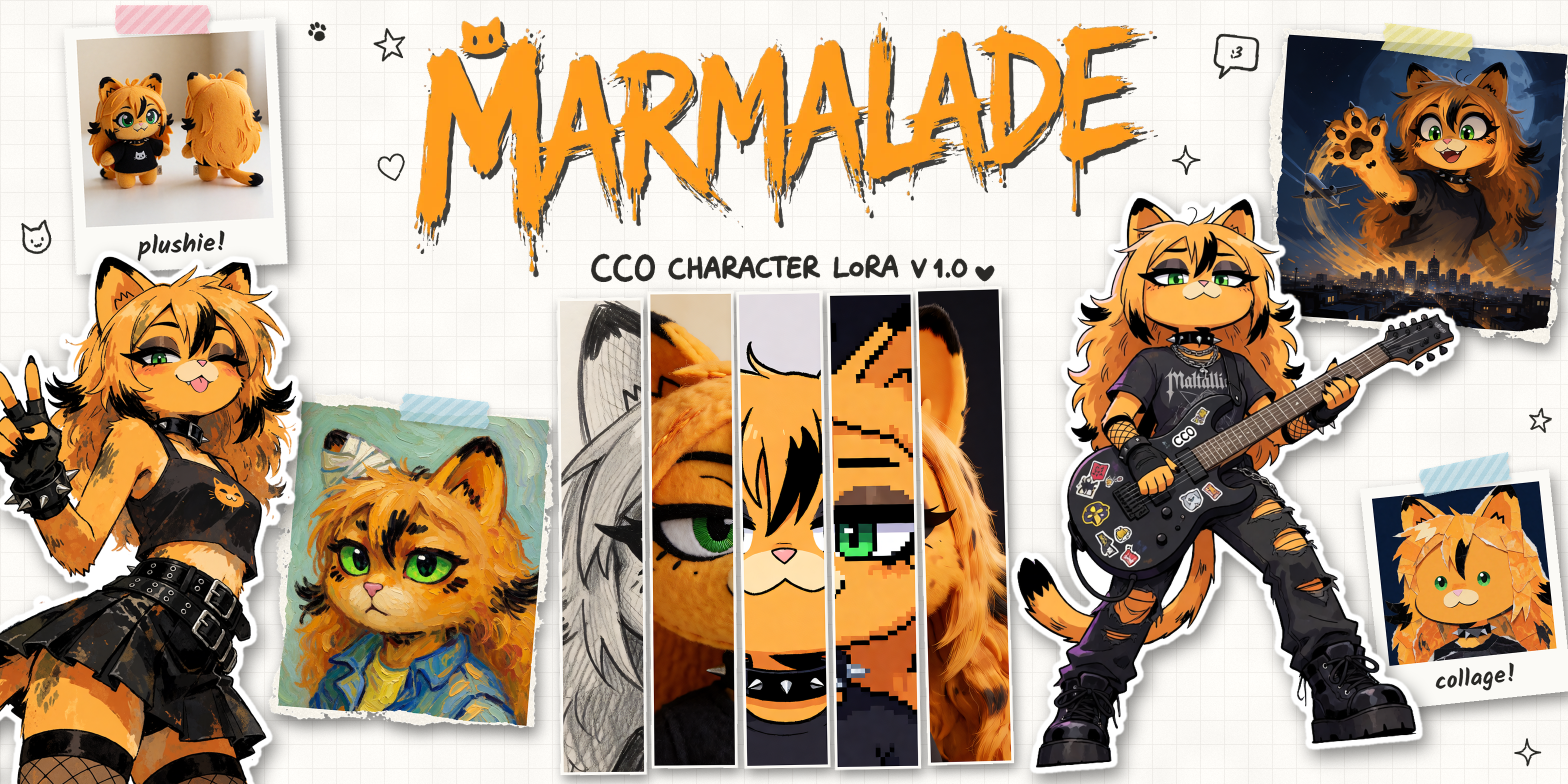
Generate Mal yourself! My very first LoRA, made for Krea 2. Grab it at the bottom, drop it into ComfyUI, and she’s all yours. Memes, posters, conspiracy boards, whatever you can think of.
The Story
After a long time, I finally gathered enough material and created a LoRA model for Marmalade! I used the (back then) newly released Krea2 model, and trained it in Ostris AI-toolkit on my GPU. Trained on 19 images, 15 being on this website, and 4 being generations with ChatGPT with references from my own images.
First off, didn’t expect it to be this good, but wow! I mean, 99% of it is the model itself, Krea 2, being so good. But the range of things it can do with Mal is mindblowing. I have been playing around for a few months and generating stuff with it, and it’s just been the most fun I have had in a long time.
So I finally am releasing it to the public! It’s the first thing I trained for her, so I am sure it’s not as good as it could be. Actually, yes, there are a few problems where it generates the eyes completely green (as in, sclera as well), which yes, you can fix by specifying it, but this is because of some of the training images having HUUUGE green eyes, and I assume it thought that was a normal eye. But it’s only sometimes. So, definitely improvements to be made, but I am happy with it for now.
The funniest thing is, the model started adding the black tips to her sideburns (or whatever you call those two things on the sides of her face), which in hindsight, is an amazing idea and I don’t know why I didn’t think of it before.
I have the actual training .yaml file I used below, so if you want to see what settings I used, have a look (basically, the default ones I think).
I did train it for 3000 steps, but it seems the checkpoint at 1500 steps is good and the one I have been using (and the one I am releasing). I tested a lot of the checkpoints together, and later ones maybe are a bit too overfit, although I am not sure.
How to use it
The trigger phrase is “Marmalade the catgirl”, so just put that in your prompt anywhere and she shows up. A few examples are at the top of this page if you didn’t catch them. It includes the prompt, settings for ComfyUI - you can just drag the image onto ComfyUI and it should load the config within the image.
I’ve been using it at 0.9 strength, on Krea 2 Turbo.
Can I use it for…?

Okay so… I wanted to just put CC0 on everything and be done. Use it however you want, no questions, etc. Turns out I can’t because licensing and stuff.
You can generate her, I have zero control over that and claim no rights to anything you generate with it. But the LoRA itself is under the Krea 2 Community License, which has some restrictions on commercial use. Basically:
- Personal use, fan art, fun stuff: go for it!
- Making money with it (the model or the images) is fine if you make less than 1 million USD per year, which I think is probably fair, and then you pay Krea, not me.
- If you run it as a service for other people, Krea wants you to have content filtering.
- The model’s name has to start with “Krea”. Yes, really. I mean, nobody follows it on CivitAI but who am I to say.
Thanks to
Krea for Krea 2, which is doing 99% of the work here (absolutely amazing model), and Ostris for AI Toolkit, which made training this on my own GPU dead simple.
And Claude (yes, the LLM) for the banner! I was trying out the new Opus 5.5 model, and it BLEW MY MIND. I basically told it “Here are a few generations I like, here is my general idea, here is my mockup, here is the ComfyUI API so you can generate new stuff, try making something that fits and go wild” and after twenty to thirty minutes of work, it came back with a thumbnail that was mindblowingly good. Had to do a number of back and forth of course, and then asked it to make it into a PSD and it did it! With layers and everything! I just edited a few things and finalised it, it’s in the downloads!
And the funniest bit, it made this super cool torn photo effect, PROGRAMATICALLY? I had to ask how it did it, and it generated a nice tutorial for me to follow for the future if I want to do it manually.
Training Configuration
---
job: "extension"
config:
  name: "Marmalade-v1-krea2-raw"
  process:
    - type: "diffusion_trainer"
      training_folder: "[YOUR_TRAINING_FOLDER_PATH]"
      sqlite_db_path: "./aitk_db.db"
      device: "cuda"
      trigger_word: null
      performance_log_every: 10
      network:
        type: "lora"
        linear: 32
        linear_alpha: 32
        lokr_full_rank: true
        lokr_factor: -1
        network_kwargs:
          ignore_if_contains: []
      save:
        dtype: "bf16"
        save_every: 250
        max_step_saves_to_keep: 4
        save_format: "diffusers"
        push_to_hub: false
      datasets:
        - folder_path: "[YOUR_DATASET_FOLDER_PATH]"
          mask_path: null
          mask_min_value: 0.1
          default_caption: ""
          caption_ext: "txt"
          caption_dropout_rate: 0.05
          cache_latents_to_disk: false
          is_reg: false
          network_weight: 1
          resolution:
            - 512
            - 768
            - 1024
          controls: []
          shrink_video_to_frames: true
          num_frames: 1
          flip_x: false
          flip_y: false
          num_repeats: 1
      train:
        batch_size: 1
        bypass_guidance_embedding: false
        steps: 3000
        gradient_accumulation: 1
        train_unet: true
        train_text_encoder: false
        gradient_checkpointing: true
        noise_scheduler: "flowmatch"
        optimizer: "adamw8bit"
        timestep_type: "linear"
        content_or_style: "balanced"
        optimizer_params:
          weight_decay: 0.0001
        unload_text_encoder: false
        cache_text_embeddings: true
        lr: 0.0001
        ema_config:
          use_ema: false
          ema_decay: 0.99
        skip_first_sample: false
        force_first_sample: false
        disable_sampling: false
        dtype: "bf16"
        diff_output_preservation: false
        diff_output_preservation_multiplier: 1
        diff_output_preservation_class: "person"
        switch_boundary_every: 1
        loss_type: "mse"
      logging:
        log_every: 1
        use_ui_logger: true
      model:
        name_or_path: "krea/Krea-2-Raw"
        quantize: true
        qtype: "qfloat8"
        quantize_te: false
        qtype_te: "qfloat8"
        arch: "krea2"
        low_vram: true
        model_kwargs: {}
        compile: false
        layer_offloading: false
        layer_offloading_text_encoder_percent: 1
        layer_offloading_transformer_percent: 1
      sample:
        sampler: "flowmatch"
        sample_every: 500
        width: 1024
        height: 1024
        samples:
          - prompt: "Marmalade the catgirl as a chibi sticker, with huge heart eyes and hands on her face, looking towards the viewer in love"
        neg: ""
        seed: 42
        walk_seed: true
        guidance_scale: 4
        sample_steps: 30
        num_frames: 1
        fps: 1
meta:
  name: "[name]"
  version: "1.0"
Downloads
Loading versions…